
Top 8 Tips to Track Leopards Courier Shipment Without Any Hassle
Waiting for a package can be exciting, but it can also be a bit stressful if you are not sure where it is. Leopards Courier is one of Pakistan’s most reliable services, but like any logistics process, knowing the right way to track your parcel can save you a lot of time.
To help you stay updated, we have compiled the top 8 tips to track your Leopards Courier shipment without any hassle.
Tip 1: Use a Trusted and Faster Tracking Portal
When you are waiting for a parcel, you want updates that are both accurate and fast. Many people struggle with slow tracking or confusing third-party pages filled with annoying ads. To track your shipment without any stress, you should always use a reliable portal like LeopardTrackings.pk.
Our platform is designed to connect directly to the courier’s database, giving you the most recent status of your package in a clean, easy-to-read layout.

Why Use Our Tracking Tool?
Expert Insight: If you check your shipment multiple times a day, bookmark this page in your browser. You can even “Add to Home Screen” on your phone to create a shortcut icon. This way, you can check your delivery status with just one tap!
Tip 2: Keep Your Tracking ID (CN Number) Handy
Think of your Consignment Number (CN) as the digital DNA of your package. Without it, tracking is impossible. This unique code is the only way the system at Leopard tracking can identify your specific box among millions of others.
Expert Advice for a Hassle-Free Experience:
Do not wait until you get home to look for your tracking details. As soon as you ship a parcel or receive a booking confirmation:
Why this matters: Most tracking failures happen because of a lost or mistyped CN number. Keeping it digitally saved ensures you are always just one click away from knowing your parcel’s location.
Tip 3: Double-Check the Digits for Accuracy
One of the most common reasons people see a “Shipment Not Found” message is a simple typing error. A single wrong digit can stop the system from finding your package. Before you worry that your parcel is lost, take a second look at the numbers you entered into the search bar.
Watch Out for These 3 Common Mistakes:
How to Ensure a Perfect Search:
To track without any hassle, we recommend the “Copy-Paste” method. Instead of typing the long 11 to 14-digit number manually, copy it directly from your SMS or email confirmation and paste it into our tracking tool. This removes the risk of human error and gives you the status of your consignment note instantly.
Pro Tip: If you are looking at a physical receipt and the ink is faded, try using a magnifying glass or taking a high-resolution photo with your phone. Zooming in on the photo often makes the blurry digits much clearer!
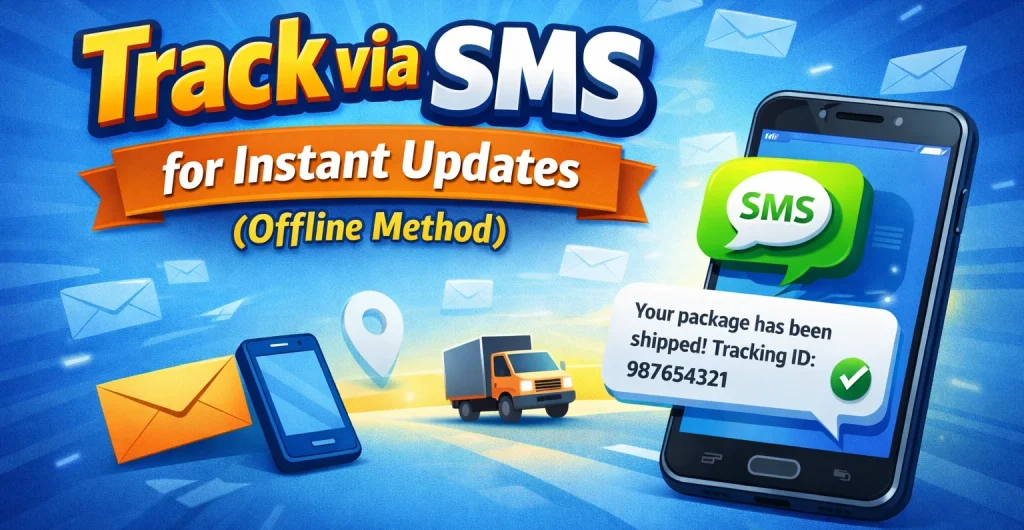
Tip 4: Track via SMS for Instant Updates (Offline Method)
One of the biggest advantages of Leopards Courier is that you do not always need an active internet connection to know where your package is. If you are traveling, in a low-signal area, or simply do not want to open a browser, you can track your shipment using a simple text message.
This “offline” method is a lifesaver for getting quick updates on your consignment note status without any hassle.
Why Use SMS Tracking?
Expert Insight: Before sending the SMS, make sure you have a small amount of balance on your SIM card, as standard network charges apply. If you do have internet, the fastest way to see full details (including who signed for the package) is still through our portal.
Tip 5: Check During Business Hours for “Live” Updates
A common mistake is checking your tracking status late at night and worrying when the location has not changed. To get the most accurate, real-time information, it is best to check during standard business hours (9:00 AM to 6:00 PM).
Tracking updates are not automatic; they happen whenever a staff member scans your package at a hub or warehouse.
Why Timing Matters:
Expert Insight: Leopards Courier typically delivers from Monday to Saturday. While they do process some shipments on Sundays in major cities like Karachi, Lahore, and Islamabad, the most reliable tracking data always appears during the working week. If you are in a hurry, checking right at 10:00 AM gives you the best chance of knowing if you need to be home to receive your order!
Tip 6: Contact the Helpline for Specific Shipment Delays
Sometimes, a parcel might get stuck due to heavy rain, road closures, or public holidays. If you see that your tracking status on our portal has not changed for more than 24 to 48 hours, do not just wait and worry. The best move is to contact the customer support team directly for a manual update.
Official Leopards Courier Contact Channels:
What to Have Ready Before You Call:
To get an answer without any hassle, make sure you have your Consignment Number (CN) right in front of you. The representative will ask for this immediately to pull up your records.
When Should You Contact Them?
Expert Insight: When you call, ask the agent for the “Expected Date of Delivery.” They can often see internal notes that are not visible on the public tracking page, such as a specific flight delay or a rider’s route update. This gives you a much clearer picture of when your package will arrive at your doorstep!
Tip 7: Double-Check the Consignee and Delivery Details
There is nothing more confusing than checking courier status and seeing a “Delivered” status but you have not received anything. Before you worry about a lost package, remember that “Delivered” simply means the courier rider has dropped off the parcel at the registered address.
Where to Check if Your Package is Missing:
What to Do if You Still Can’t Find
It:
Expert Insight: To avoid this hassle in the future, always ensure your mobile number is clearly written on the shipment. A quick call from the rider before they arrive can prevent your package from being left with the wrong person.
Tip 8: Bookmark Your Results for Instant Access
When you are tracking an important or high-value shipment, you probably find yourself checking the status several times a day. Manually typing a long 11 to 14-digit CN number every single time is a hassle and increases the chance of a typo.
The smartest way to stay updated without the extra work is to bookmark your tracking results page.
Why You Should Bookmark Your Tracking Link:
How to Do It on Your Phone or PC:
Expert Insight: If you are a business owner or a frequent online shopper tracking multiple orders, create a “Tracking” folder in your browser bookmarks. This allows you to manage several shipments at once and see their last-mile delivery progress with zero effort!